Domain
Legal, medical, engineering, casual conversation — tell the model what kind of text it is translating.
Private local-first translation
PrivyTranslate is one private translation workspace across your Mac, PC, iPhone, iPad and browser. It runs on your own device by default, and connects only to a provider you choose — never to us.
EN Source
Could you confirm the revised delivery schedule before Friday's review?
ZH Translation
能否在周五评审前确认修订后的交付时间表?
The workflow
Translation is rarely the task — it is the interruption inside the task. Every surface here is designed to return you to what you were doing.
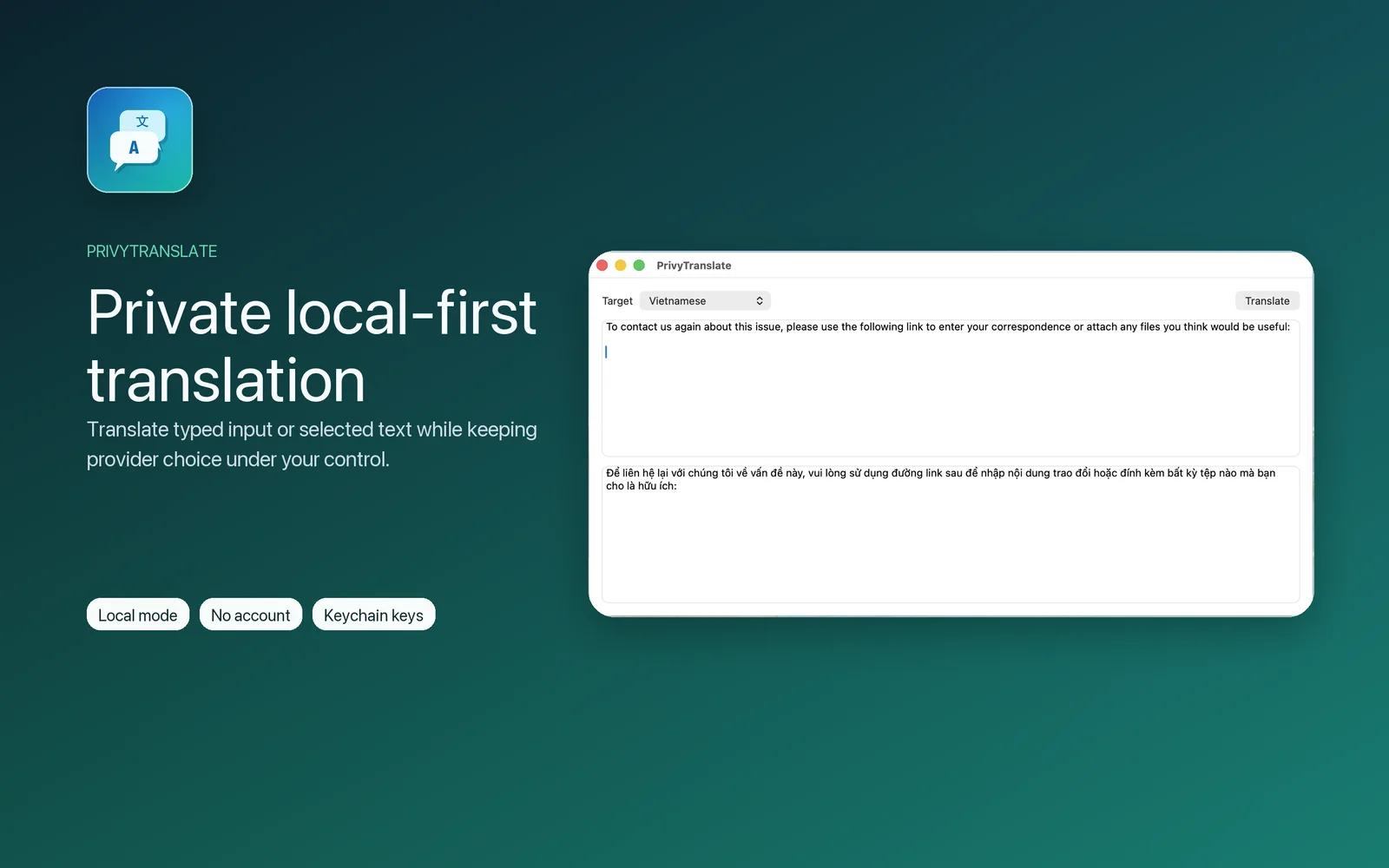
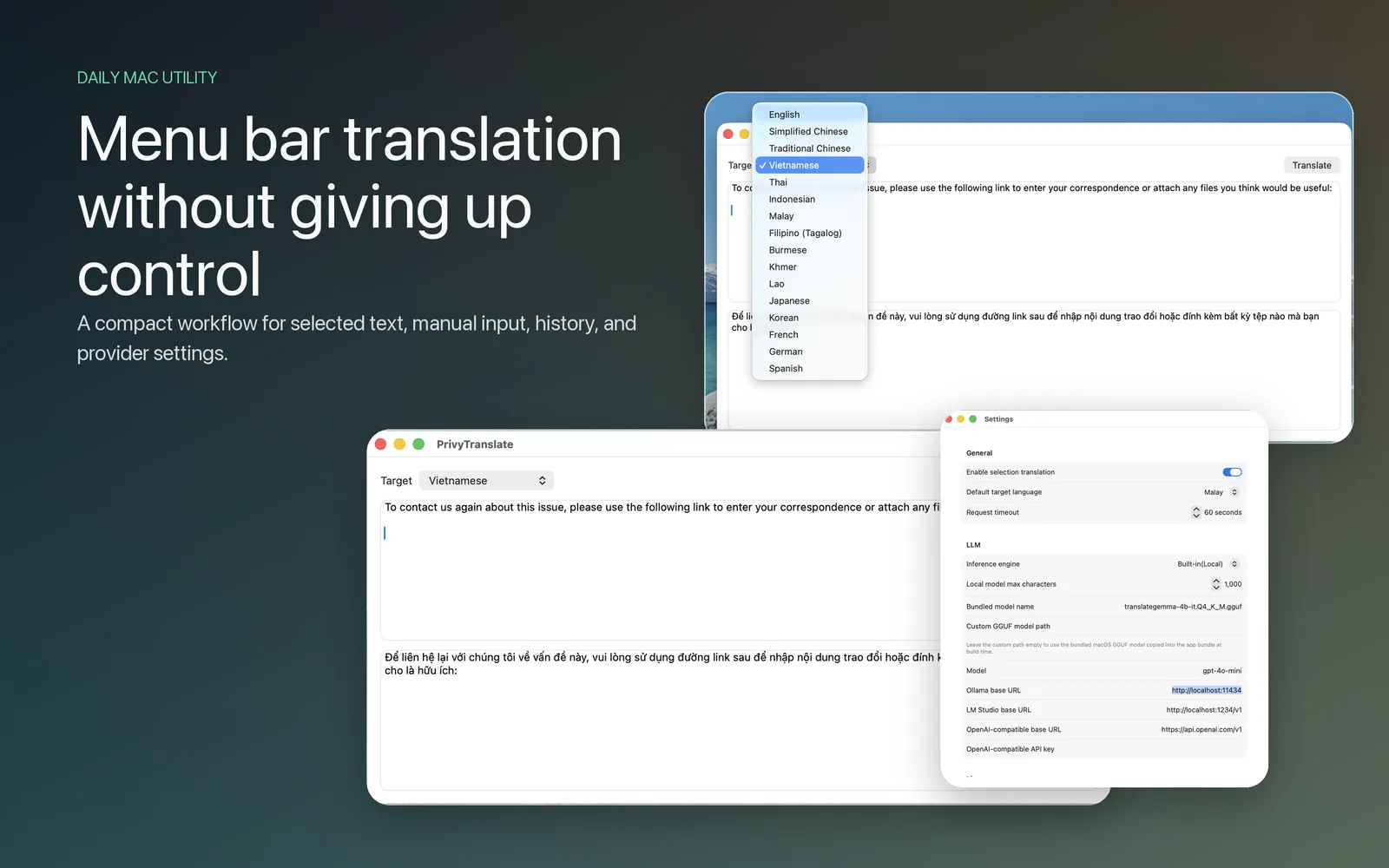
A compact window for direct input, or a global shortcut that translates whatever you have selected — without leaving the document you are working in.
On iPhone and iPad the Share Extension takes text and links straight from Mail, Safari, Slack or Notes into a translation.
Recent translations stay in local history so a phrase you settled on last week is one search away. Copy it, reuse it, or delete it.
The Chrome extension renders a page in Overlay, Replace, or Side-by-Side mode so you can read a source and its translation together.
The interface
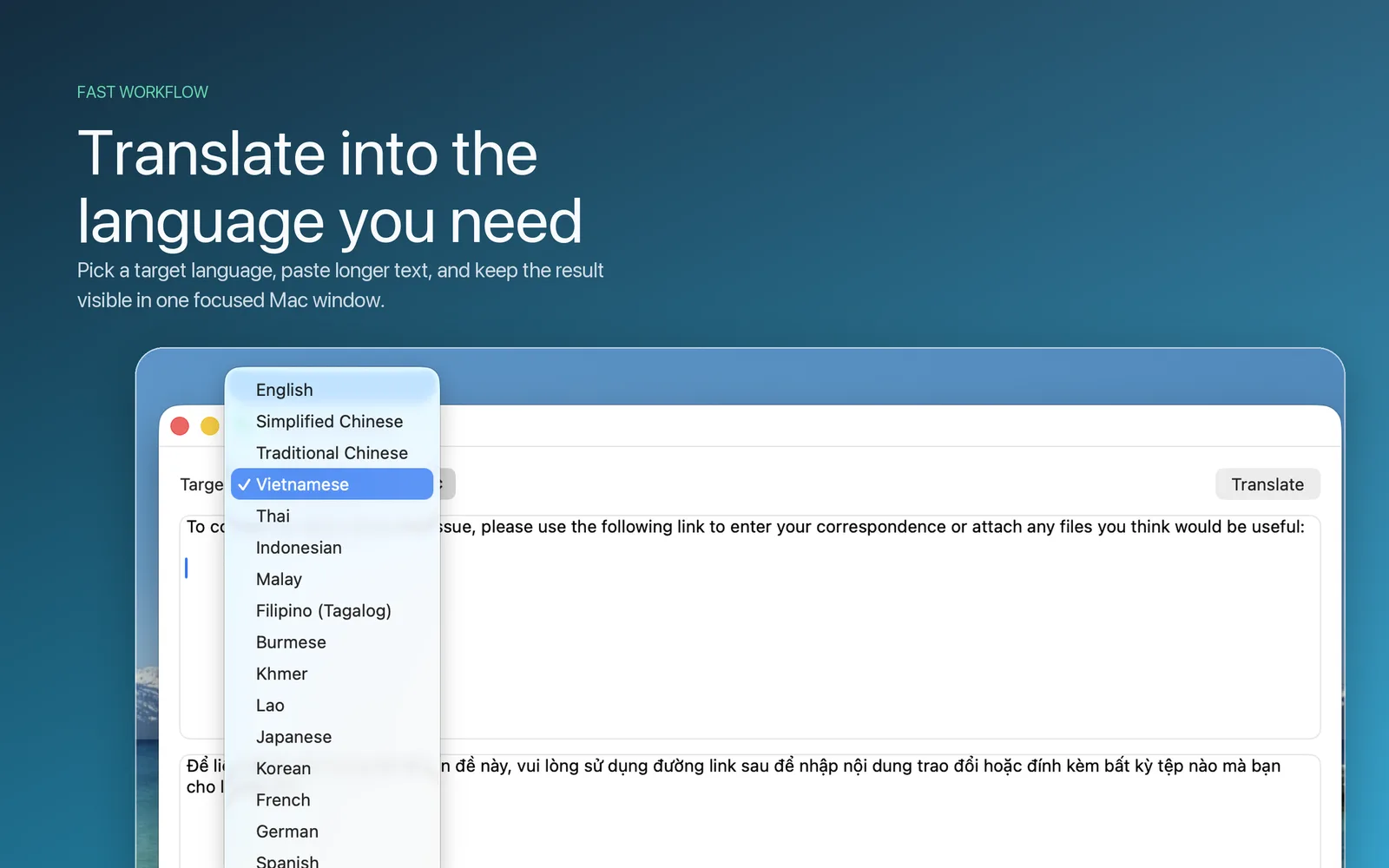
A compact window for selected text or direct input, a target language you set once, and provider settings that stay where you put them — with local mode as the default rather than the fallback.
History
Recent translations live in local history — searchable, reusable, and never uploaded anywhere. You decide what stays and what goes.
Profile
A Translation Profile carries your domain, locale and register into every prompt, so the model reaches for the right terminology and tone instead of guessing.
Legal, medical, engineering, casual conversation — tell the model what kind of text it is translating.
Pick a regional convention and a tone, from formal correspondence to a casual chat.
Set a Profile and translation routes through your configured LLM, since only the LLM can follow those instructions. Leave it empty and PrivyTranslate keeps using the fastest path available — including Turbo mode where it applies.
Glossary
A term you pin once — a product name, a house style, a phrase your team always renders a certain way — carries into every translation after it.
Availability
The Mac and iOS apps are a single universal purchase. The Windows app and the browser extension are separate listings.
Direct translation and system share sheet
Turbo mode (macOS & iOS) sends short text and single words through Apple's on-device translator for a near-instant result. Longer passages, and anything with a Profile attached, route through your configured LLM instead.
Providers
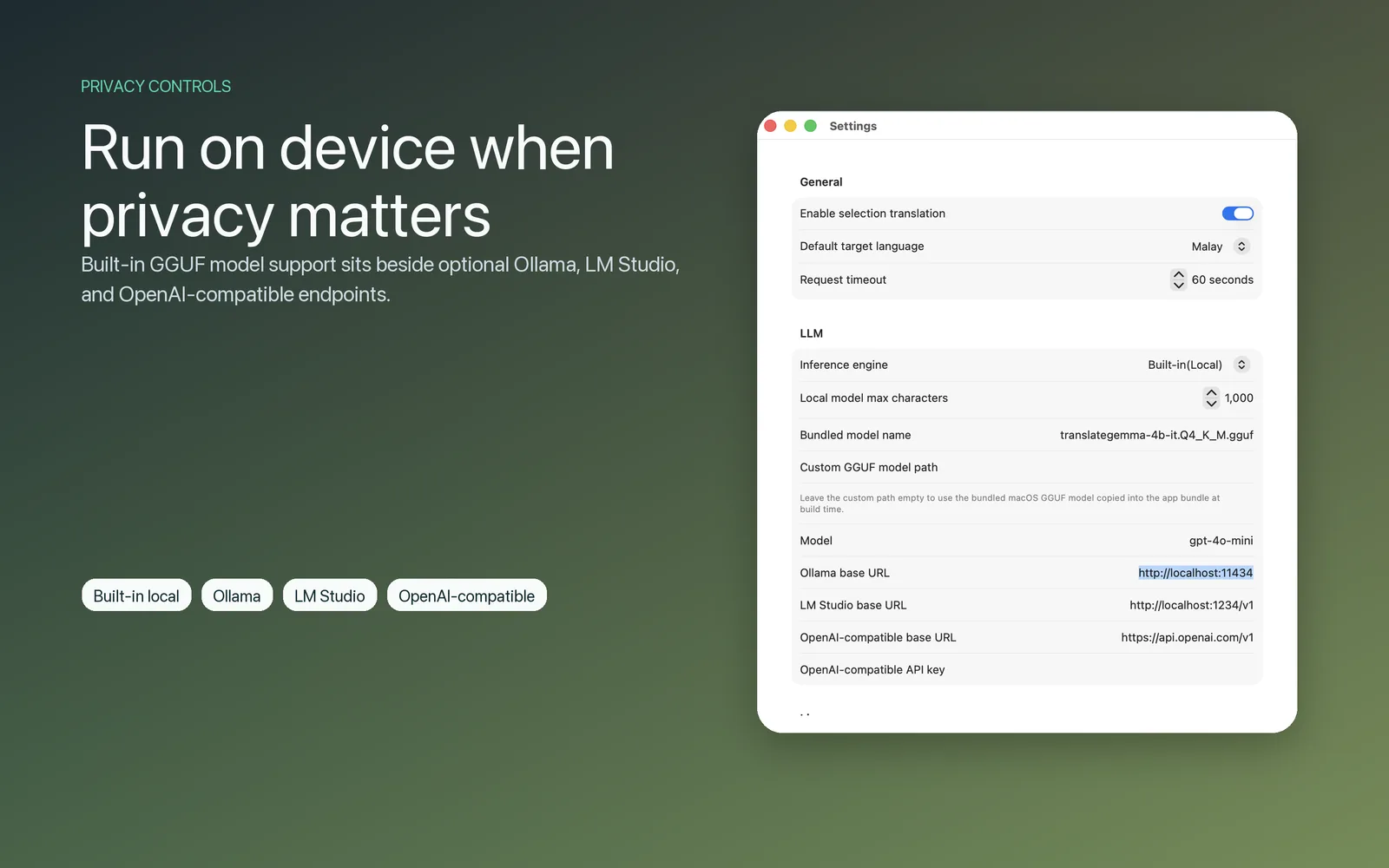
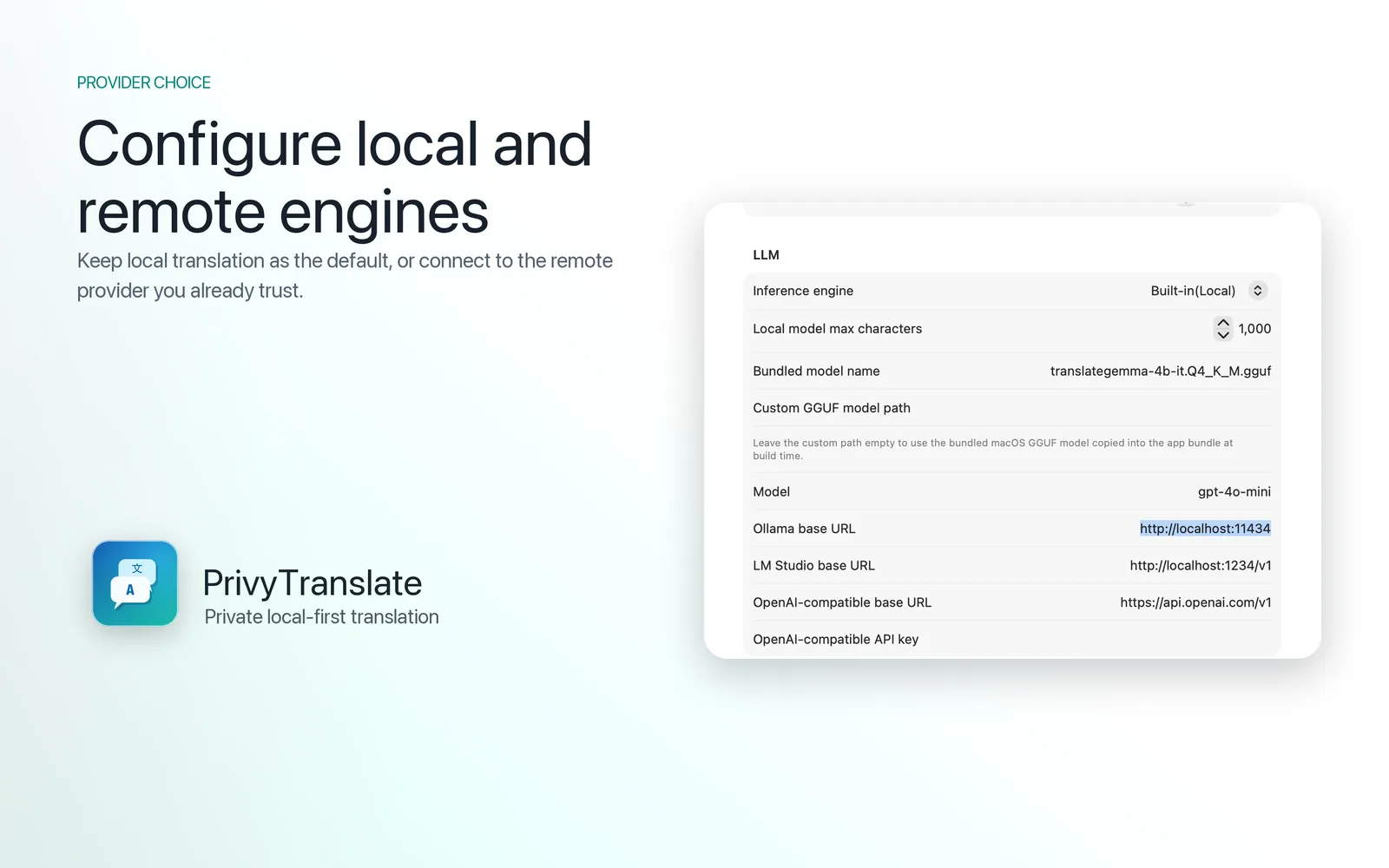
PrivyTranslate does not run a translation cloud. Pick the engine that suits the work — the bundled local model, a server on your own machine, or an endpoint your company already pays for.
On-device
A bundled GGUF model runs inference on your own hardware. No configuration, no network.
Local server
Point PrivyTranslate at your Ollama host and pick any model you have pulled.
Local server
Use the LM Studio server on your desktop, reachable from your phone on the same network.
Remote endpoint
Any endpoint that speaks the OpenAI chat API, with your own URL, key and model name.
Browser built-in
The browser's own on-device Translator API, used by the extension where it is available.
The commitment
We do not collect your translations, your prompts, your identifiers, or your usage. There is nothing to opt out of, because there is nothing being sent.Read the full privacy policy →
Questions
Still unsure about something? Support covers setup and troubleshooting in more detail.
No. We do not operate a translation service. In Built-in Local mode the text never leaves your device. If you configure Ollama, LM Studio or an OpenAI-compatible endpoint, the app connects only to the address you entered — never to us.
No. There is no sign-up, no login and no cloud sync. Settings and history live on the device.
In the system key store where the platform provides one — Keychain on macOS and iOS. They are never transmitted anywhere except to the endpoint you configured.
Yes, with Built-in Local. The bundled model runs entirely on-device, so translation keeps working on a plane or behind a locked-down network.
The macOS and iOS apps are a single universal purchase on the App Store. The Windows app and the Chrome extension are separate listings on the Microsoft Store and the Chrome Web Store.
Available today on macOS, Windows, iPhone, iPad and Chrome. Android is in development.